
How to Build a Community Content Calendar
# Community
How to build a content calendar that stays consistent, mixes company and member content, and adapts as the community grows.
July 30, 2026
Joshua Zerkel
At a glance
- Anchor the calendar in member needs, not in how much the team has to publish.
- Mix content types deliberately instead of defaulting to one format.
- Balance company-published content with real member participation.
- Build enough structure to stay consistent without making the calendar rigid.
- Let member behavior tell you what to repeat, expand, or retire.
- Review the calendar on a set cadence, not only when something breaks.
Introduction
Most community teams eventually build some kind of calendar, and most of those calendars end up looking the same: a steady stream of company-published posts, scheduled out weeks in advance, with little room for what members are actually asking about that week. It works for a while. Then engagement flattens, and the team can't tell if the problem is the topics, the format, or something else entirely, because there was never a plan for finding out.
A good content calendar isn't a publishing schedule. It's a way of making sure the community keeps addressing real member needs, in a mix of formats, with enough member voice in the mix that it doesn't feel like another company channel. Getting this right early saves you from the slow drift toward broadcast mode that catches up with almost every community eventually.
This guide will help you build a calendar that stays consistent without becoming rigid, and that gives you a real way to know what's working. It won't cover how to facilitate individual discussions once they're live. A separate Foundations guide covers that.
When this matters
This matters as soon as you're publishing with any regularity, even if that's just once a week. It matters more once you've moved past the founding-member phase and need a repeatable system instead of ad hoc posting. Watch for it specifically when the team starts scrambling each week to figure out what to post next, when engagement on posts has been declining even as membership grows, or when nearly everything published is coming from the company account and members have stopped originating their own threads.
It also matters at any point when a new initiative, product launch, or event schedule creates a wave of new content needs, since that's when a calendar without real structure tends to buckle first.
What matters most
Anchor the calendar in member needs, not publishing needs
The easiest way to build a calendar is to ask what the team has to say this month. The better way is to ask what members are already asking, struggling with, or celebrating, and build from there. Anchor points worth pulling from include recurring member questions, product moments, upcoming events, lifecycle stages, and the community's stated goals.
I've seen calendars built entirely from the company's internal content backlog, and they tend to feel exactly like what they are: things the company wanted to say, published on a schedule. Members can tell the difference between content built for them and content built to fill a slot.
Mix content types deliberately
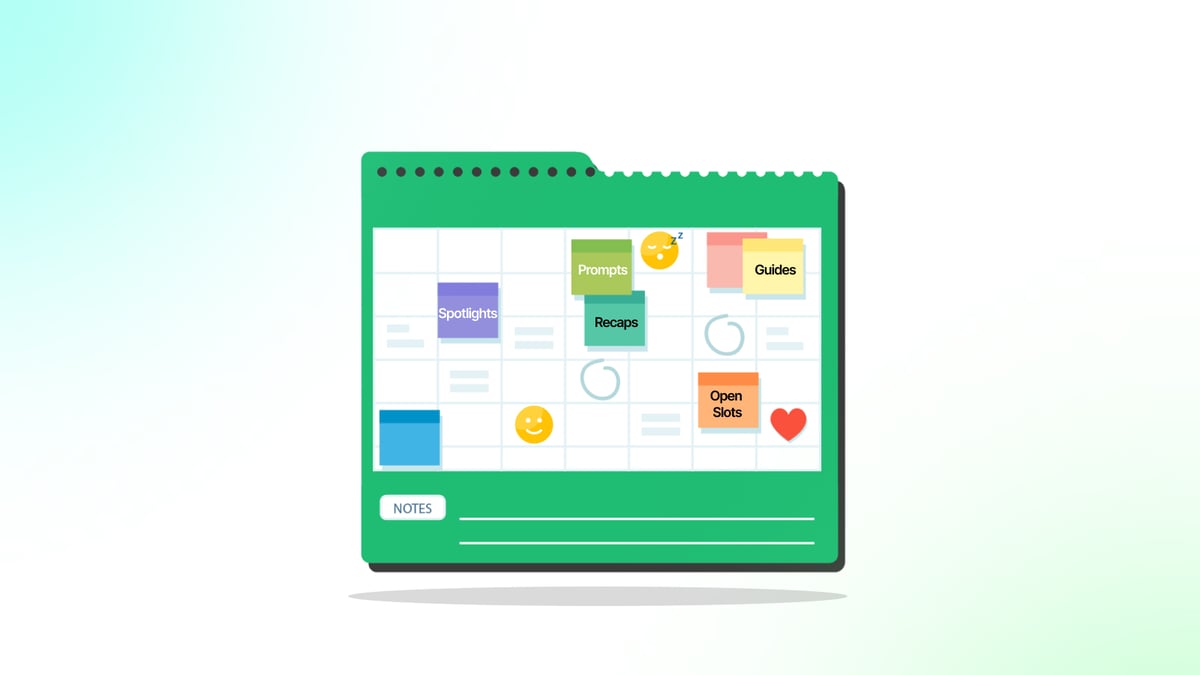
A calendar built entirely around one format, whether that's prompts, announcements, or long-form guides, wears out its welcome fast. Include a real mix: discussion prompts, practical guides, event recaps, member spotlights, tutorials, announcements, and questions that invite a range of experience levels to respond.
The mix matters because different formats serve different needs. A prompt draws out peer knowledge. A tutorial teaches something concrete. A spotlight builds recognition and models good participation. Treat the mix itself as a planning decision, not something that happens by accident based on whichever format was easiest that week.
Balance company content with real member participation
Company-published content is easy to plan and control, which is exactly why calendars tend to lean on it too heavily. The stronger calendars build in deliberate room for content that comes from members: user-generated posts, member-led discussions, spotlights that let a member's voice carry the piece.
This balance takes real effort to maintain, since member-generated content can't be scheduled with the same certainty as something the team writes itself. Build slack into the calendar for it, and treat a slot that goes unfilled by a member as useful information rather than a failure to backfill immediately with company content.
Build enough structure to stay consistent, without over-engineering it
Members notice when a community goes quiet, and they also notice when everything feels mechanically scheduled. The goal is a cadence predictable enough that members know something worthwhile shows up regularly, with enough flexibility to respond to what's actually happening.
I'd rather see a team commit to two or three reliable weekly touchpoints than build out a twelve-month calendar with every slot pre-filled. The detailed version looks more organized on paper, but it rarely survives contact with a community that changes faster than any calendar can predict a year out.
Let member behavior guide what stays, grows, or goes
Some topics will get replies for months. Others will land once and never work again, no matter how it's rephrased. Use actual participation, not personal preference, to decide what earns a repeat slot, what deserves more investment, and what should be quietly retired.
This requires being honest about topics the team likes but members don't engage with. It's easy to keep a favorite format alive out of habit. The useful discipline is separating what the team enjoys producing from what members are actually responding to.
Review the calendar on a set cadence
A calendar that only gets revisited when something breaks will drift for months before anyone notices. Put a recurring review on the calendar itself, not just as a mental note, and use it to check whether the content mix, the participation balance, and the individual topics are still earning their place.
Putting it into practice
1. List your recurring anchor points.
Gather the recurring member questions, product moments, events, lifecycle stages, and goals that should shape topics. This becomes the raw material the calendar pulls from instead of a blank page each week.
2. Draft your content type mix for the next month.
Decide roughly how many prompts, guides, recaps, spotlights, and announcements you'll aim for. This keeps any single format from quietly taking over the calendar.
3. Set a target ratio of company to member-originated content.
Pick a rough split you're aiming for, even an approximate one, so the balance is a visible goal rather than an afterthought.
4. Choose your reliable cadence.
Commit to two or three touchpoints members can count on each week or month. This gives the community a rhythm without locking every slot months in advance.
5. Build a simple way to track topic performance.
Set up a lightweight log noting which topics got real engagement and which didn't. This is what makes the "repeat, expand, retire" decision possible later instead of guesswork.
6. Leave open slots for real-time topics.
Reserve some calendar space that isn't pre-assigned, so the team can respond to something timely instead of forcing it in around a fixed plan.
7. Schedule the recurring calendar review itself.
Put a specific cadence on the calendar for revisiting the plan, such as monthly or quarterly. Treat this review as non-negotiable, not something that happens only when engagement visibly drops.
Where teams get stuck
The most common obstacle is default drift toward broadcast content. Company-published posts are easier to plan, write, and schedule than member-generated content, so teams lean on them more and more until the calendar quietly becomes another announcement channel. The fix isn't willpower. It's building the member-participation slots into the plan from the start and protecting them the same way you'd protect any other commitment.
Another common obstacle is over-planning. Teams that fill every slot months ahead often can't adapt when something more relevant comes up, and the calendar becomes a constraint instead of a tool. Leaving real open space solves this, even though it can feel less organized in the short term.
A third obstacle is competing internal requests. Product, marketing, and other teams often want their announcements slotted into the community calendar, and without a clear filter, the calendar fills with content that serves internal needs more than member needs. Deciding in advance what qualifies for a slot makes these conversations much easier to have.
Before you move on
- Recurring anchor points, questions, product moments, events, and goals, are listed and current.
- The content type mix is a deliberate plan, not a default.
- A rough target ratio of company to member-originated content exists.
- A reliable weekly or monthly cadence is set and being met.
- Open slots exist for timely or reactive content.
- Topic performance is being tracked somewhere, even informally.
- A recurring calendar review is scheduled, not left to chance.
What good looks like
Planning element | Example output |
|---|---|
Anchor points | This month's calendar draws on three recurring support questions, one upcoming product release, and a member's lifecycle milestone. |
Content mix | One discussion prompt, one practical guide, one member spotlight, and one event recap scheduled across the month. |
Company-to-member ratio | A target of roughly 60 percent company-originated and 40 percent member-originated content for the quarter. |
Retirement decision | A recurring "ask me anything" format is retired after three months of declining replies, replaced with themed peer discussion threads. |
Review cadence | A standing monthly calendar review meeting that checks participation by content type against the prior month. |
How to know it's working
Track participation by content type, not just overall activity. If prompts consistently outperform tutorials, that's a signal to shift the mix, not just a note for next time. Watch the actual ratio of company to member-originated content against your target, since this tends to drift toward company content without deliberate attention.
Look at whether specific topics are earning repeat engagement over time or fading after a single posting. This tells you what to expand and what to retire, which is the core purpose of tracking in the first place. Pay attention to qualitative signals too: are members proposing their own topics unprompted, are they referencing past content in new conversations, is the same small group carrying most of the participation.
Finally, check whether the recurring review is actually happening on schedule. A calendar with a review process that keeps getting skipped will drift the same way an unplanned one would.
Key takeaways
- Build the calendar around member needs and behavior, not around what's easiest for the team to publish.
- Mix content types and the company-to-member balance deliberately, since both tend to drift without attention.
- Structure the calendar enough to stay consistent, but leave real room for timely topics.
- Use actual participation, not preference, to decide what to repeat, expand, or retire.
- Review the calendar on a fixed cadence so drift gets caught early.
Common questions
How far ahead should we plan the calendar?
Plan the reliable cadence and content mix a month or so out, and leave some slots unassigned for anything timely. Planning much further ahead usually means the calendar stops reflecting what members actually need by the time that content goes live.
What if we don't have enough member-generated content yet?
Start with a lower target ratio and build it up as you identify members willing to contribute. Recruiting a few reliable contributors, the same people who might make good founding members, often does more than any format change.
How do we handle a topic that used to work but has stopped getting engagement?
Retire it rather than forcing it to continue on habit. Use the tracking data to confirm the decline is real, then replace the slot with a new format or topic drawn from a current member need.
Like
Comments (0)
Popular

Dive in
Related
Resource
Playbook: How to Build More Depth Inside a Growing Community
By Leslie Barber • Jun 5th, 2026 • Views 23
Resource
Playbook: How to Build a Focused Community Strategy That Delivers Impact
By Bill Johnston • Dec 5th, 2025 • Views 21
Resource
Playbook: How to Build New Participation Habits After a Community Migration
By Patricia Feitosa • May 28th, 2026 • Views 23
Resource
Starting Strong: How to Build a Community from the Ground Up
By Joshua Zerkel • Dec 9th, 2025 • Views 126
Resource
Playbook: How to Build More Depth Inside a Growing Community
By Leslie Barber • Jun 5th, 2026 • Views 23
Resource
Playbook: How to Build New Participation Habits After a Community Migration
By Patricia Feitosa • May 28th, 2026 • Views 23
Resource
Starting Strong: How to Build a Community from the Ground Up
By Joshua Zerkel • Dec 9th, 2025 • Views 126
Resource
Playbook: How to Build a Focused Community Strategy That Delivers Impact
By Bill Johnston • Dec 5th, 2025 • Views 21